

Want to buy the photos and videos from that special event you participated in? At picsel, we’ve designed a simple and fast process so you can find and buy your favorite content. I’ll show you how to do it in 3 simple steps:
Step 1: Find your album
The first step is finding the album containing your photos. You can do this two ways:
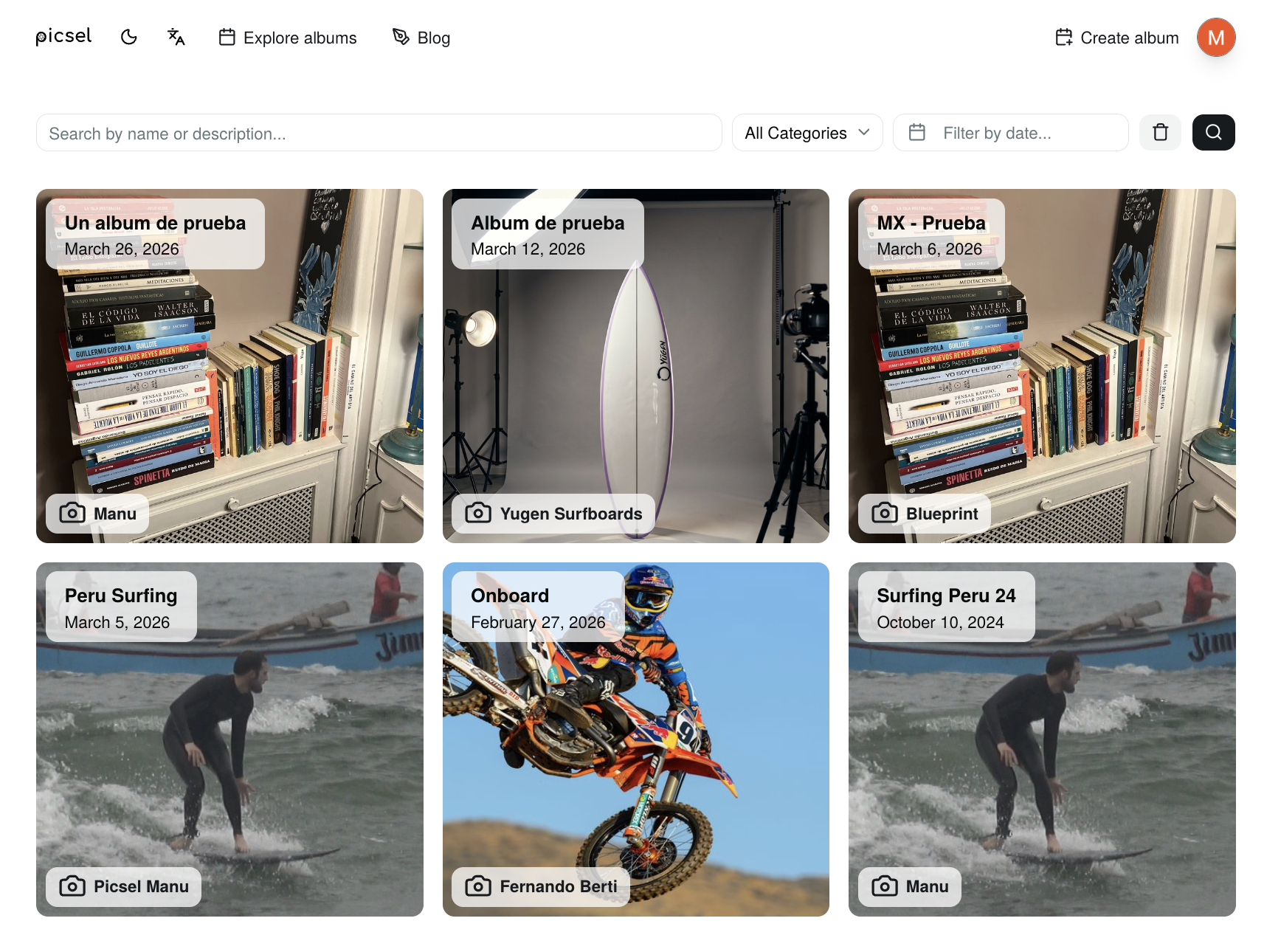
Step 2: Select your content
Once you’ve found your album, it’s time to choose the photos and videos you want to buy. To make this process easier, picsel offers smart search tools that will appear in the “Available Filters” section:
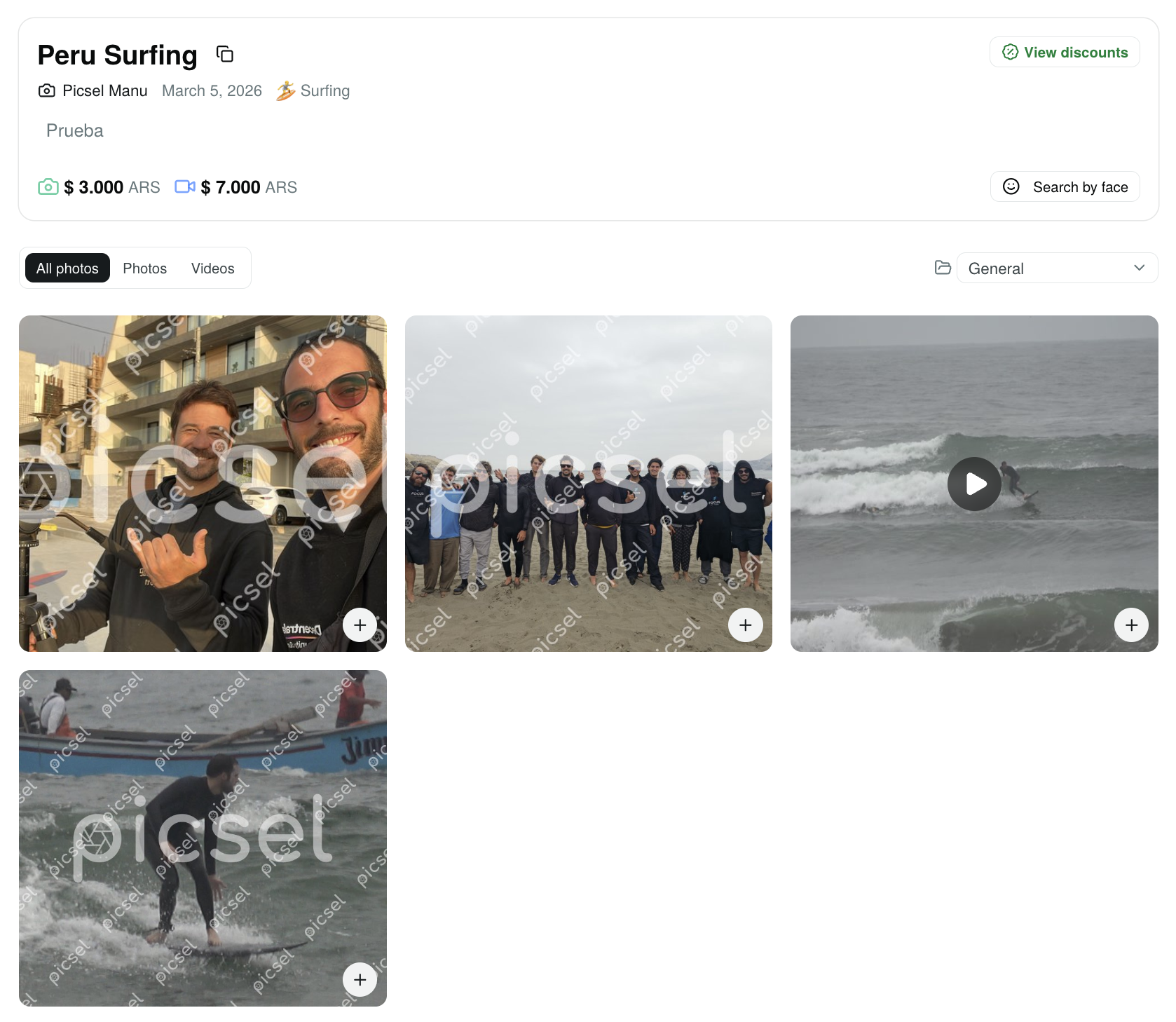
Face recognition search
If the event has this feature enabled, you can find all your photos with a simple click. You just need to:
- Click on “Search by face”
- Select your face in any of the photos where you appear
- Done! picsel will automatically find all the photos or videos where you appear
Number search
For sporting events where you wear a participant number or jersey:
- Click on “Search by number”
- Enter your number
- picsel will filter all photos or videos where that number appears
Once you find the files you like, simply click the “Add to cart” button on each one. You’ll see the cart counter updating in the bottom right corner.
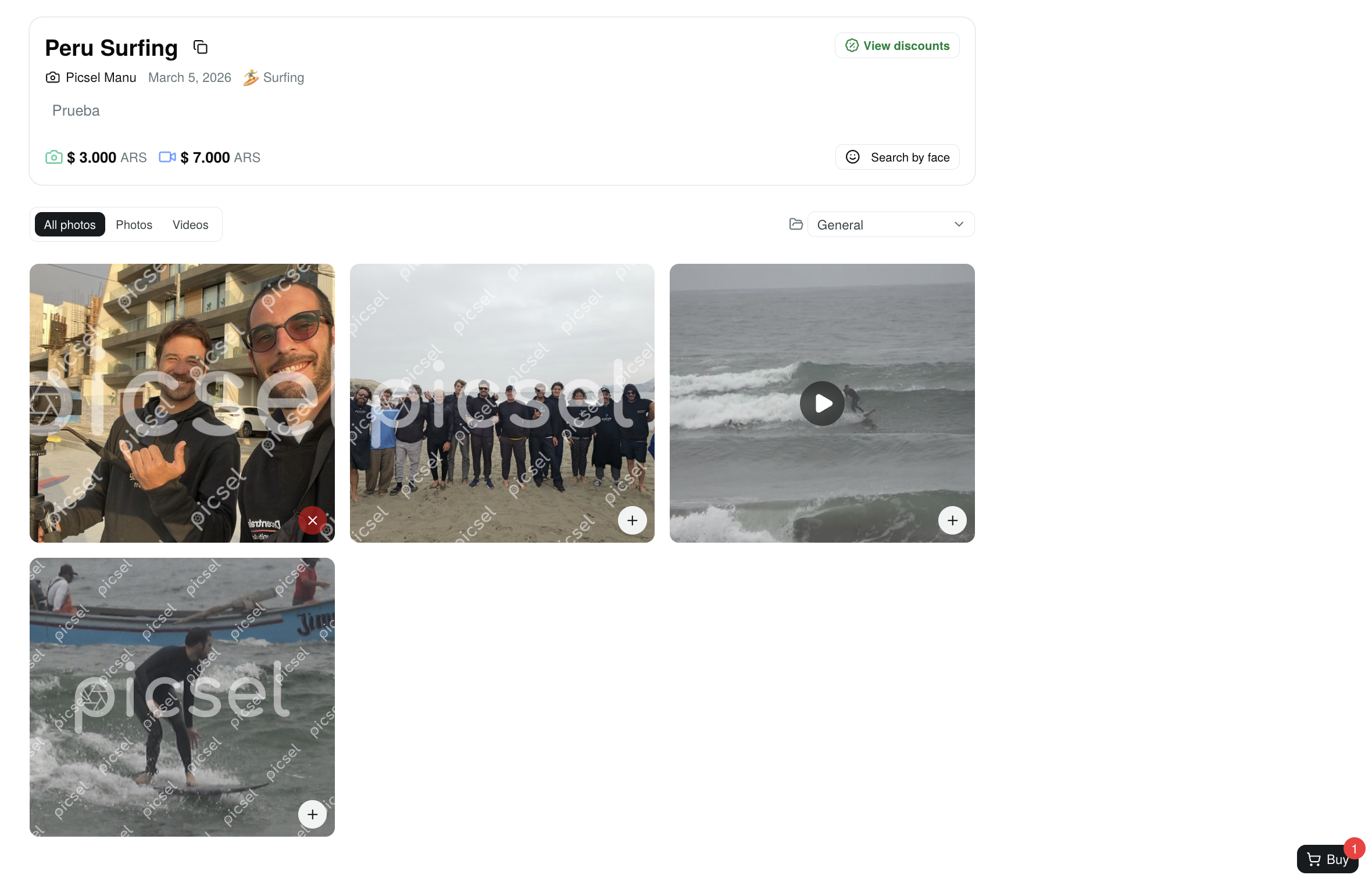
Step 3: Complete your purchase
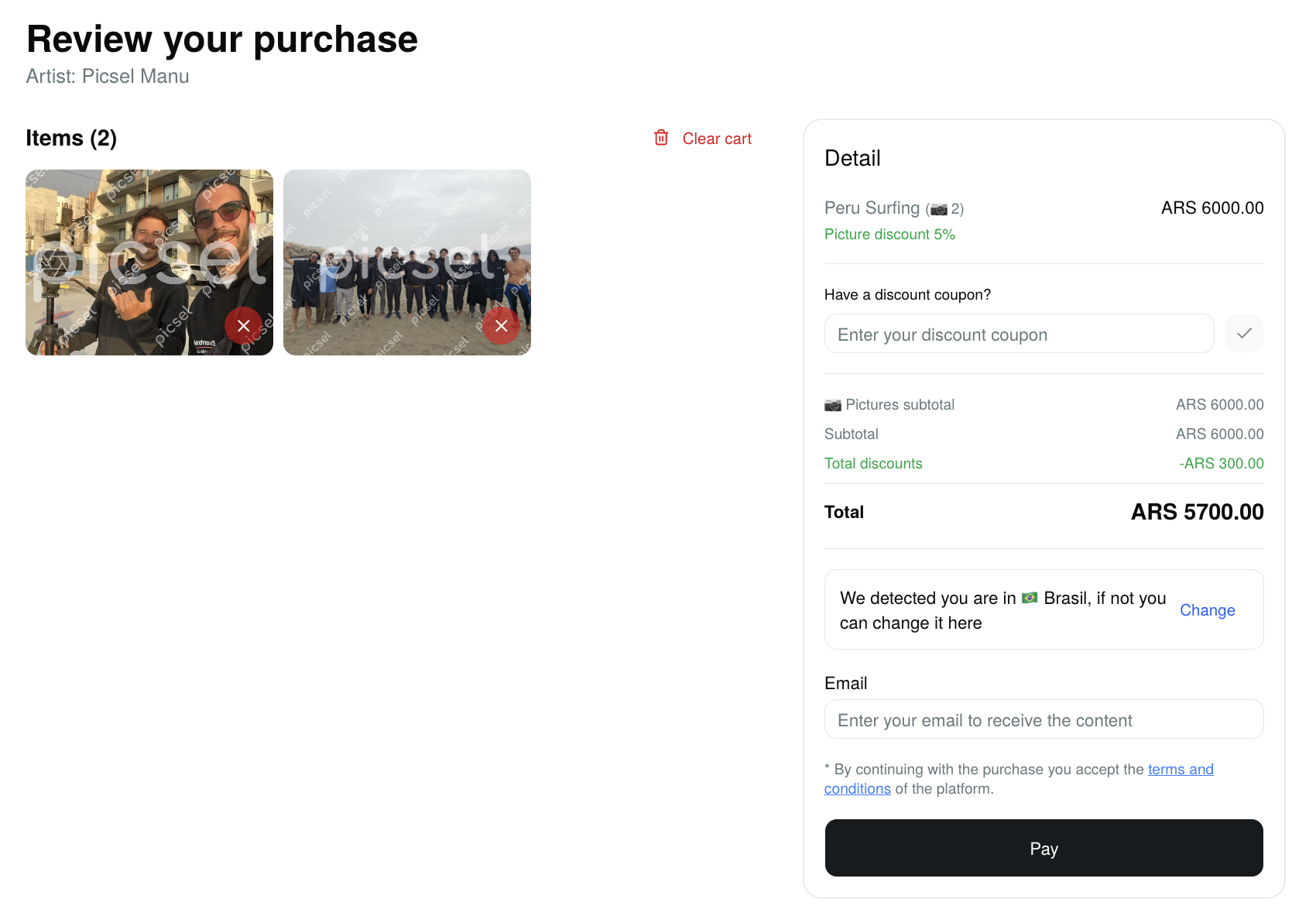
When you’ve selected everything you want, it’s time to complete your purchase:
- Click on the cart icon in the upper right corner.
- Review your selection of photos and videos.
- Enter your email address. This step is very important! We’ll use it to send you the link to the high-quality content.
- Choose your preferred payment method; depending on the country you’re in, you’ll see the available payment options.
- Done! Once the payment is confirmed, you’ll receive an email with the link to download your photos and videos in high quality.
Download the photos or videos
By clicking on the photos or waiting for the redirect from the payment page, you’ll arrive at the download page to get the content you purchased. You just need to click the “Download” button.

Discounts and Packages
Good news! Many albums offer special discounts when you buy multiple photos or videos. To see if your album has available discounts:
- Look for the “View discounts” or “Available Packages” button on the album page
- When you click it, you’ll see a table with different discounts based on the number of files
- The discount will be automatically applied to your cart when you reach the required quantity!
Additional tips
- The content you see in the album has a watermark. When you buy it, you’ll receive the original photos and videos in high quality without watermark.
- You can add or remove files from the cart at any time before completing the purchase.
- If you have any issues during the process, don’t hesitate to contact us through our official Instagram account.
Conclusion
And that’s it! At picsel we strive to make the buying process as simple as possible. If you have any questions, you can visit our FAQ page or follow us on Instagram to stay up to date with the latest news. Remember that by buying on picsel, you’re directly supporting local creators who capture those special moments.